
Mar 28
Gamer Roof
I want to tell you about a game I genuinely did not expect to enjoy as much as I did. It is called Zero Stress King: Idle Defense, and the name tells you exactly what you are getting. No tricks. No hidden difficulty spike. No moment where the game punishes you for stepping away from your desk for ten minutes.
It releases on Steam on March 30, 2026, developed and published by Pauloondra. I got a chance to look at everything available before launch, and I want to break it all down for you in a way that actually helps you decide if this is worth your time.
What Kind of Game Is This Really
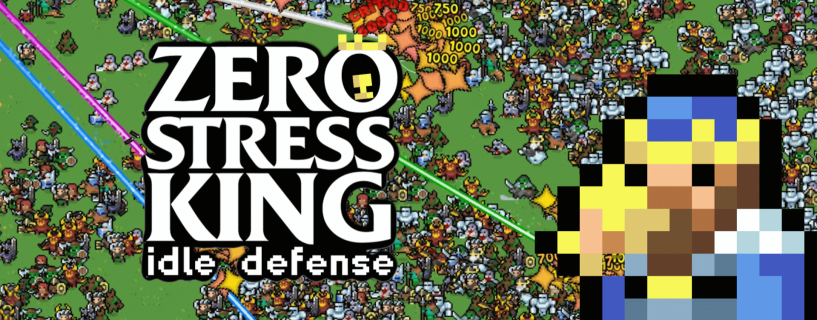
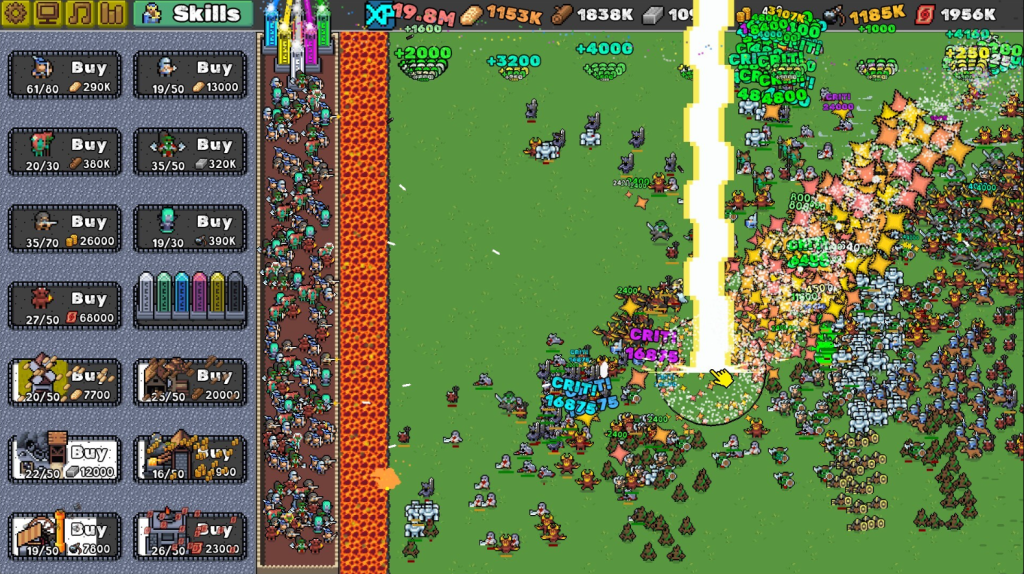
On the surface, this looks like a tower defense game. Enemies run toward your walls in waves. You buy defenders. You upgrade production. The numbers go up. But here is the part that changes everything: there is a river of lava at the end of the path. Every single enemy falls into it. Every time. Without exception.
You are not playing to survive. You are playing to watch a system grow. Think of it more like a clicker or incremental game with a tower defense skin on top. The enemies exist to give your defenders something to do. The waves get bigger. Your numbers keep climbing. That is the loop.
I have played idle games before where the “relaxing” label felt like a lie because something eventually went wrong and knocked you back to zero. That does not happen here. The developer made a deliberate design decision: you already won. The lava is always there. The walls never fall. You are just here to enjoy the ride.
Why This Game Works When It Should Not
Most game designers would tell you that stakes matter. Tension creates engagement. If you cannot lose, why would anyone care?
Zero Stress King bets against that idea. And honestly, it works because of one simple thing: it does not pretend to be something it is not. This is not a game trying to be Dark Souls and failing. It knows what it is. It is a stress relief tool dressed as a game. A numbers-go-up experience with satisfying visuals and a clear progression path.
The conquest map doubles as a skill tree, which is a smart design choice. You feel like you are making decisions that matter, building toward something, even when the outcome was never really in question. That sense of forward movement is enough to keep you coming back.
Zero Stress King Download Guide
Here is how to get the game when it becomes available:
- Open Steam on your PC. If you do not have Steam, download it from store.steampowered.com.
- Search for Zero Stress King: Idle Defense in the Steam store search bar.
- If you are reading this before March 30, 2026, click Add to Wishlist. Steam will notify you the moment it goes live.
- After release, click Add to Cart or Play Now if it is free.
- Once purchased or claimed, click Install and choose your install location.
- Launch from your Steam Library when the install finishes.
The game supports 17 languages at launch including English, French, Italian, German, and Spanish. You can change the language from the Steam client settings or inside the game options menu.
System Requirements for PC
The developer kept things refreshingly honest in the system requirements section. Here is what you need:
Minimum Requirements
- OS: Windows 10 (64-bit)
- Processor: Any 64-bit processor that exists
- Memory: 4 GB RAM
- Graphics: Not really required
- Sound Card: Not required
Recommended Requirements
- OS: Windows 10 or newer (64-bit)
- Everything else: If your PC runs Chrome, it runs this game
This is one of those rare games you can run on a work laptop during a lunch break. The hardware demands are basically zero. That is intentional and smart for the target audience.
Full Controller Button Layout Guide for PC and Xbox
Zero Stress King is an idle game, so the controls are minimal. But if you want to play from the couch with a controller, here is a complete breakdown of how the buttons map across PC keyboard and Xbox controller.
PC Keyboard Controls
| Action | PC Key |
|---|---|
| Navigate Menus | Arrow Keys or Mouse |
| Select / Confirm | Enter or Left Click |
| Back / Cancel | Escape |
| Buy Defender | Left Click on unit |
| Upgrade Unit | Left Click on upgrade button |
| Scroll Skill Tree Map | Click and Drag or Arrow Keys |
| Speed Up / Fast Forward | Spacebar (if available) |
| Pause | P or Escape |
| Open Settings | ESC then Settings |
| Zoom In / Out | Scroll Wheel |
Xbox Controller Layout (PC via Steam Input)
| Action | Xbox Button |
|---|---|
| Navigate Menus / Map | Left Stick or D-Pad |
| Select / Confirm | A Button |
| Back / Cancel | B Button |
| Buy / Place Defender | A Button (on highlighted unit) |
| Upgrade Selected Unit | X Button |
| Scroll Through Upgrades | LB / RB (Left / Right Bumper) |
| Move Around Conquest Map | Left Stick |
| Zoom In | Right Trigger (RT) |
| Zoom Out | Left Trigger (LT) |
| Pause / Resume | Start Button (Menu) |
| Open Options | Select Button (View) |
| Fast Forward Waves | Y Button (if supported) |
Note: Steam Input lets you remap any of these controls. Open Steam Big Picture mode, go to your controller settings, and customize the layout to your preference. This game is idle-friendly enough that you rarely need to press more than two or three buttons in a session.
If you use Steam Input for the first time, Steam’s official controller support page walks you through the full setup process step by step.
Language Support
At launch, the game supports 17 languages with full interface and audio options. Confirmed languages with both interface and full audio support include:
- English
- French
- Italian
- German
- Spanish (Spain)
This makes it one of the more accessible indie releases of its size. For a full list of supported languages, check the official Steam page once it goes live.
Who Should Play Zero Stress King
If you have ever opened a mobile idle game at the end of a long day just to watch numbers increase and feel a small sense of calm, this game is for you. It fits in the same space as games like Cookie Clicker or AdVenture Capitalist but with a visual theme that feels more active because enemies are always on screen doing something.
It is also a good pick if you want something running in the background while you work. The game does not demand your attention. It rewards you for checking in, not for staying glued to the screen.
For new players to the idle genre, this is actually a great starting point. The mechanics are clean. There is no losing state to fear. You learn the systems without punishment.
For veteran idle game fans, the tower defense visual layer adds a texture that keeps things more engaging to look at than a plain clicking interface.
My Personal Take
I sat with this game for a while before writing this. I kept expecting it to do something annoying. Send a wave I could not handle. Introduce a currency I had to grind for. Lock progression behind a paywall.
None of that happened. It just kept going. Enemies ran into lava. My defenders leveled up. The conquest map opened new paths. I felt weirdly good about it.
There is something genuinely calming about a system that works without you having to babysit it. I think Pauloondra understood exactly the gap they were filling here. Not every game needs to challenge you. Some games should just let you breathe.
For official game ratings and developer information, you can check IGDB’s game database or visit the Steam store page directly after launch.
Frequently Asked Questions
Is Zero Stress King: Idle Defense free to play?
The pricing has not been confirmed yet as of this writing. Check the Steam store page on March 30, 2026, for the final price. Add it to your wishlist now so you get notified immediately.
Can you actually lose in Zero Stress King?
No. This is a core design feature of the game. A river of lava at the end of every enemy path means your walls are never actually under threat. The game removes the traditional losing condition completely.
Is Zero Stress King available on mobile or console?
Currently the game is a Steam PC exclusive releasing March 30, 2026. There is no announced mobile or console version at this time.
Does Zero Stress King work on a low end PC?
Yes. The system requirements are extremely light. You need Windows 10 (64-bit), 4 GB RAM, and basically any modern processor. If your computer can run a browser, it can run this game.
What genre is Zero Stress King: Idle Defense?
It sits across three Steam genres: Casual, Indie, and Strategy. In practice it plays closest to an incremental or idle game with a tower defense visual style layered on top.
How do I use a controller with Zero Stress King on PC?
Connect your Xbox or PlayStation controller via USB or Bluetooth, then launch the game through Steam. Steam Input automatically detects most controllers. You can remap buttons inside Steam’s controller settings if you want a custom layout.
What languages does Zero Stress King support?
The game launches with support for 17 languages, including English, French, Italian, German, and Spanish. Full interface and audio support are confirmed for all five of those at minimum.
Who developed Zero Stress King: Idle Defense?
The game is developed and published independently by Pauloondra. It is a solo or small team indie project released through Steam.
Is there a skill tree in Zero Stress King?
Yes. The conquest map in the game functions as a skill tree. You unlock new paths and abilities as you progress, giving you a sense of direction and long term goals even within a low pressure environment.
Does the game have an end or does it go forever?
Based on the incremental idle genre conventions and the developer’s description, the game is designed to keep going with waves scaling up indefinitely. There is no traditional ending or final boss to beat.