
Mar 30
Gamer Roof
The first time I played a rhythm game without calibrating my audio offset, I thought I was terrible at it. I kept getting Good and Miss judgments on notes I was sure I was hitting correctly. Then someone told me to check the timing settings. I adjusted the offset by 30 milliseconds and suddenly everything clicked. My accuracy jumped by almost 20 percent on songs I had been struggling with for days.
That experience changed how I approach every rhythm game I play. Settings matter as much as skill. In some cases they matter more, at least until you have things properly configured.
This guide covers everything you need to get MUSYNX: Return running at its best. That includes audio offset calibration, graphics settings, input configuration, scoring and rank grades explained in plain terms, and a full breakdown of how to actually get better at the game without just grinding the same song over and over.
Why Proper Setup Changes Everything in MUSYNX Return
Rhythm games are unforgiving about timing. A note is either hit within the judgment window or it is not. If your setup introduces even a small amount of lag between your button press and the game registering the input, your accuracy suffers in a way that has nothing to do with your actual skill.
Most players who feel stuck at a certain accuracy level are not stuck because they lack rhythm. They are stuck because their setup has uncalibrated lag and they are fighting the game instead of playing it.
MUSYNX: Return uses low-latency audio technology as a core design feature. That helps. But it does not eliminate every source of latency in your chain. Your monitor, your speakers or headphones, and your USB connection all add small delays. The settings menu gives you the tools to compensate for these.
Get this right once and the game opens up in a way that feels completely different.
First Things to Do When You Launch MUSYNX Return for the First Time
Before you play a single song, take five minutes to do this setup routine. It will save you hours of confusion later.
Step 1: Set Your Display Mode
Go into the graphics or display settings and set the game to run in Fullscreen or Exclusive Fullscreen mode. Windowed and borderless windowed modes add input processing overhead on most systems. Exclusive fullscreen bypasses some of that and gives you lower and more consistent frame latency.
If you are on a high refresh rate monitor at 144Hz or higher, make sure the game is actually running at that refresh rate and not defaulting to 60Hz. Check your Windows display settings and the in-game options to confirm this. Higher frame rates make the falling notes render more smoothly, which makes reading fast charts easier on your eyes.
Step 2: Use Headphones for Your First Calibration
Headphones introduce less audio latency than speakers in almost every scenario. Wired headphones introduce less than wireless. For your initial audio offset calibration, use wired headphones if you have them. Once you have your baseline offset dialed in, you can experiment with other audio setups and adjust from there.
Step 3: Close Background Applications
Close your browser, Discord, streaming software, and anything else running in the background before launching the game. These applications compete for CPU and audio resources. Discord in particular is known to interfere with audio timing in rhythm games due to its voice processing pipeline. Even if you are not in a voice call, having Discord running can affect low-latency audio performance.
Step 4: Plug Your Controller In Before Launching
If you are using an Xbox controller, plug it in or connect it via Bluetooth before you open the game. Some games do not detect controllers added after launch, or they assign incorrect button mappings when the controller is connected mid-session. Connecting before launch avoids this entirely.
Audio Offset Calibration Guide for MUSYNX Return
This is the most important setting in any rhythm game. Get this wrong and no amount of skill improvement will fix your accuracy numbers.
What Audio Offset Actually Does
Audio offset shifts when the game expects your input relative to when the note visually reaches the judgment line. A positive offset tells the game to expect your input slightly later. A negative offset expects it slightly earlier.
The goal is to find the value where the game’s expectation matches your natural press timing given your specific hardware setup.
How to Find Your Correct Offset
Start by playing a song you know reasonably well on 4-lane Normal difficulty. Play it without adjusting anything and look at your result screen. Pay attention to whether your misses and Good judgments are consistently early or consistently late.
- If you are hitting consistently early, your offset needs to go negative (or decrease if it is already positive)
- If you are hitting consistently late, your offset needs to go positive (or increase)
- If your errors are split roughly evenly between early and late, your offset is probably close and the issue is skill rather than calibration
Adjust the offset by 10 milliseconds at a time. Play the same song again after each adjustment. Repeat until your early and late errors are roughly balanced. That is your correct offset for your current setup.
Common Offset Values by Setup Type
These are rough starting points based on common hardware configurations. Your exact value will vary.
| Setup Type | Starting Offset Estimate |
|---|---|
| Wired headphones, 60Hz monitor | 0 to +10ms |
| Wired headphones, 144Hz monitor | 0 to +5ms |
| Bluetooth headphones | +80ms to +200ms (varies widely) |
| TV speakers via HDMI | +50ms to +150ms |
| USB DAC or audio interface | +10ms to +30ms |
| Wired headphones, 240Hz monitor | 0 to +3ms |
Bluetooth audio is the hardest to work with in rhythm games. The encoding and transmission process introduces variable latency that can be anywhere from 80ms to over 200ms depending on your headphones and Bluetooth codec. If you are using Bluetooth audio, switching to wired will improve your experience significantly. If you must use Bluetooth, spend extra time calibrating and accept that your offset will need readjusting if you change devices.
What to Do if You Play on a TV
TVs process image and audio signals in ways that add latency. This is separate from your audio offset and harder to fix purely through software. Most modern TVs have a Game Mode setting that disables post-processing and reduces display latency significantly. Enable Game Mode on your TV before trying to calibrate offset. Then calibrate the offset on top of that. Playing a rhythm game on a TV without Game Mode enabled is a genuinely frustrating experience.
Graphics Settings for Best Performance
MUSYNX: Return is not a demanding game visually. The minimum specs are very low and most modern systems will run it at full settings without any issue. However, there are still choices you can make that affect how comfortable the game is to play.
Frame Rate Settings
Set the frame rate cap to match your monitor’s refresh rate. If you have a 60Hz monitor, cap at 60fps. If you have 144Hz, cap at 144fps. Do not run uncapped if you can help it. Uncapped frame rates cause the GPU to run harder than necessary, which generates heat and can cause frame time inconsistency. A consistent frame time means the notes move at a predictable speed, which makes timing easier.
Resolution
The game supports 4K. If your monitor and GPU support it, running at native 4K makes the note highway and interface sharper and easier to read. If your system struggles at 4K, drop to 1080p rather than using a non-native resolution like 1440p on a 4K monitor, as scaling can introduce slight visual artifacts on the note highway that make reading harder.
V-Sync
Turn V-Sync off. V-Sync adds input latency in almost all implementations. For a rhythm game where every millisecond of input timing matters, that extra latency will hurt your accuracy. Use frame rate capping instead to control tearing if that is a concern for you.
Background Effects
Some rhythm games let you reduce or disable animated background effects. If your system is running warm or showing any frame rate drops during gameplay, turning down background animations is the first thing to try. The note highway and judgment feedback are what matter. The background is cosmetic.
Understanding the MUSYNX Return Scoring System
Once your settings are dialed in, the next thing to understand is exactly how your score is calculated. Knowing this changes how you approach songs and what you focus on during practice.
Judgment Types and Their Score Values
Every note you interact with falls into one of these categories. The exact internal names may differ from what is shown on screen but the structure works like this in games of this type:
| Judgment | Timing Window | Score Contribution | Combo Effect |
|---|---|---|---|
| Perfect | Tightest window, right on the beat | Full score per note | Continues combo |
| Great | Slightly early or late | Partial score, roughly 70 to 80 percent | Continues combo |
| Good | Noticeably off timing | Partial score, roughly 40 to 50 percent | Continues combo |
| Miss | Outside all windows or skipped | Zero score | Breaks combo |
How Combo Multipliers Work
Maintaining a combo without breaking it adds a multiplier to your score. The longer your combo, the higher your score per note. Breaking combo not only sets your multiplier back to base but you also lose the bonus you would have earned on subsequent notes until you rebuild it.
This means that in terms of raw score, getting a Good on every note without breaking combo can sometimes score higher than getting mostly Perfects but breaking combo several times. For players focused on total score rather than accuracy percentage, consistency matters more than chasing perfection on individual notes.
Rank Grades in MUSYNX Return
Your final result screen shows a rank grade based on your score. While the exact thresholds will be confirmed once the game is live, rhythm games in this style typically use a letter or symbol grading system structured like this:
| Grade | Score Range (Approximate) | What It Means |
|---|---|---|
| S or SSS | 98 to 100 percent | Near perfect accuracy with full or near full combo |
| A or AA | 90 to 97 percent | Strong performance, minor timing errors |
| B | 80 to 89 percent | Solid but with noticeable combo breaks or Great judgments |
| C | 70 to 79 percent | Average run with multiple misses |
| D or lower | Below 70 percent | Significant misses, chart not fully cleared cleanly |
Most players set an A grade as their initial goal on a new chart and push toward S grade once they are comfortable with the patterns. Chasing S rank on a song you just learned leads to frustration. Learn the chart first, then optimize your timing.
How to Actually Improve Your Scores in MUSYNX Return
I have watched many players grind the same song dozens of times and wonder why they are not improving. The problem is almost never practice volume. It is practice quality. Here is how to improve with intention rather than just repeating the same mistakes.
Use the Result Screen as a Diagnostic Tool
Every result screen tells you something. Look at the breakdown after each play. If your Miss count is high, you have a reading problem. You are not seeing the notes in time to react. If your accuracy is low but your Miss count is low, you have a timing problem. You are seeing the notes but not hitting them at the right moment. These require different fixes.
For reading problems, slow your approach down. Drop to an easier difficulty or a lower lane count on the same song. Get your eyes trained on the patterns at a pace you can actually process. For timing problems, go back to offset calibration and also practice deliberate slow play where you focus only on hitting the exact moment of each note.
Learn One Song at Multiple Difficulties Before Moving On
The temptation is to always jump to the next hardest thing. Resist this. Take a song you can clear on Normal and push it to Hard before moving to new songs. You already know the music. You already know roughly where the notes fall. Now you are just reading a more complex version of the same pattern. This is the fastest way to build chart-reading skill because the musical information is familiar and only the density is new.
Practice the Hard Parts in Isolation
Most charts have one or two sections that are significantly harder than the rest. Identify where you are consistently losing combo or accumulating misses. Then start the song and deliberately focus only on that section. Let the easy parts flow automatically and put your mental energy into the hard part. Over time that section stops being a wall and becomes just another section.
Do Not Watch Your Hands
This sounds obvious but many new players drift their eyes down to their hands or controller during hard sections. Keep your eyes on the screen at the judgment line at all times. Your hands need to operate from muscle memory, not visual checking. Every time you look at your hands you lose track of incoming notes and that creates misses.
Play at the Limit of Your Ability, Not Below It
Clearing songs you can already clear does not improve your skill. Play at the difficulty where you are getting B or C grades and pushing for A. That zone of effort where you are actively struggling but not completely overwhelmed is where real improvement happens. If you are consistently getting S grades on everything you touch, you are not challenging yourself enough.
Lane Mode Strategy Guide
Choosing the right lane mode for your current skill level is not just about difficulty. Each lane mode builds different skills and prepares you for different things.
2-Lane Mode: What You Are Actually Training
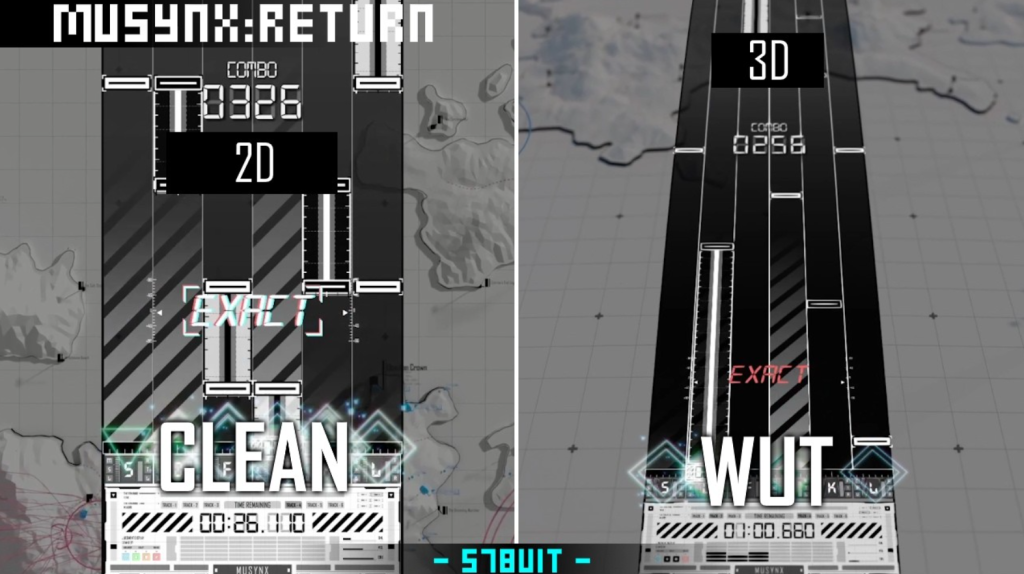
2-lane mode trains your sense of rhythm timing in its purest form. You have two inputs. The challenge is entirely about when you press, not which key to press. This makes it excellent for working on your offset calibration because the input decisions are simple enough that timing errors are clearly visible.
If you want to improve your Perfect ratio across all modes, spending time on 2-lane Hard is one of the best ways to do it. The pattern complexity is lower but the timing precision requirement is the same. You can focus entirely on hitting the exact beat without splitting your attention between lanes.
4-Lane Mode: The Core Experience
4-lane is where most of the game lives. The charts are designed primarily for this format and it represents the balance point between complexity and accessibility. Most players will spend the majority of their time here.
For 4-lane, the key skill to develop is independent hand control. Your left hand handles lanes 1 and 2, your right hand handles lanes 3 and 4. On easy charts these are mostly independent. On harder charts you get cross-lane patterns where notes alternate between hands rapidly or where both hands need to act simultaneously. Training your hands to operate independently without one hand waiting for the other is the primary skill that separates average 4-lane players from good ones.
6-Lane Mode: Where Skill Gets Tested
6-lane adds two more lanes, typically handled by extending your index fingers to the outer positions. On keyboard this means using S and L or similar outer keys. On controller this means using the triggers in addition to bumpers and face buttons.
The main challenge in 6-lane is hand position. Your hands need to cover more keys without moving your wrists. Players who try to shift their hand position during fast patterns lose time and accuracy. The goal is to keep your hands in a fixed position and reach slightly outward for the outer lanes rather than moving your whole hand.
Spend time on 6-lane Easy before pushing to Normal or Hard. The hand position adjustment alone takes time to make natural.
Controller vs Keyboard in MUSYNX Return
This question comes up constantly in rhythm game communities and the honest answer is that it depends on what you are optimizing for.
Keyboard Advantages
Keyboards have shorter actuation distances and faster reset times than controller buttons in most cases. For very high-speed charts with rapid note streams, keyboard players generally have a mechanical advantage. Mechanical keyboards with low-actuation switches (like Cherry MX Speed Silver or similar) are particularly well suited for fast rhythm game play.
Keyboards also make it easier to customize your key layout since you have many more keys available. You can spread your hands wider or tighter depending on what feels natural.
Controller Advantages
Controllers feel more natural to players who grew up gaming on consoles. The button positioning on an Xbox controller is designed for comfortable long-term use in a way that a flat keyboard is not. For moderate difficulty charts, the comfort advantage of a controller can outweigh the mechanical speed advantage of a keyboard.
Controllers also tend to be more consistent in terms of input registration since each button has a clear distinct press. On keyboard there is more variability in exactly when a keypress registers depending on your typing angle and speed.
What to Choose
Start with whichever input feels more natural to you. Do not switch input methods because you think it will automatically improve your score. The learning curve for adapting to a new input method will temporarily make things worse before they get better. Switch only if you have a specific reason, like wanting to push into the hardest 6-lane charts where keyboard speed becomes a genuine factor.
Full PC Keyboard Layout Reference
2-Lane Keyboard
| Lane | Default Key | Alt Key |
|---|---|---|
| Lane 1 | F | Z |
| Lane 2 | J | / |
4-Lane Keyboard
| Lane | Default Key | Alt Key |
|---|---|---|
| Lane 1 | D | Z |
| Lane 2 | F | X |
| Lane 3 | J | . |
| Lane 4 | K | / |
6-Lane Keyboard
| Lane | Default Key | Alt Key |
|---|---|---|
| Lane 1 | S | A |
| Lane 2 | D | S |
| Lane 3 | F | D |
| Lane 4 | J | K |
| Lane 5 | K | L |
| Lane 6 | L | ; |
Menu Keys (Keyboard)
| Action | Key |
|---|---|
| Select or Confirm | Enter |
| Back or Cancel | Escape |
| Navigate Up | Up Arrow or W |
| Navigate Down | Down Arrow or S |
| Pause | Escape or P |
| Retry | R (from result screen) |
| Song Select Return | Escape (from result screen) |
Full Xbox Controller Layout Reference
2-Lane Controller
| Lane | Button |
|---|---|
| Lane 1 | X Button or Left Bumper (LB) |
| Lane 2 | B Button or Right Bumper (RB) |
4-Lane Controller
| Lane | Button | Hand Position |
|---|---|---|
| Lane 1 | Left Bumper (LB) | Left index finger |
| Lane 2 | X Button | Left thumb |
| Lane 3 | B Button | Right thumb |
| Lane 4 | Right Bumper (RB) | Right index finger |
6-Lane Controller
| Lane | Button | Hand Position |
|---|---|---|
| Lane 1 | Left Trigger (LT) | Left middle finger |
| Lane 2 | Left Bumper (LB) | Left index finger |
| Lane 3 | X Button | Left thumb |
| Lane 4 | B Button | Right thumb |
| Lane 5 | Right Bumper (RB) | Right index finger |
| Lane 6 | Right Trigger (RT) | Right middle finger |
Menu Controls (Xbox Controller)
| Action | Button |
|---|---|
| Confirm or Select | A Button |
| Back or Cancel | B Button |
| Navigate | D-Pad or Left Stick |
| Pause | Menu Button (Start) |
| Retry | Y Button (result screen) |
| Return to Song Select | B Button (result screen) |
| Scroll Song List | Left Stick Up or Down |
| Change Difficulty | LB or RB in song select |
| Change Lane Mode | Left or Right on D-Pad |
Troubleshooting Common Problems in MUSYNX Return
Notes Feel Late Even After Offset Adjustment
If you have increased your offset and notes still feel late, check whether your audio output device has its own internal latency settings. Some USB DACs and audio interfaces have buffer size settings in their driver software. A larger buffer means more latency. Set the buffer to its lowest stable value. Also check that you are not running audio through multiple processing layers, such as Windows Sonic or Dolby Atmos spatial audio, as these add processing delay.
Game Stutters During Fast Chart Sections
Stuttering during dense note sections usually points to CPU or memory bottlenecks. Close background applications, especially browsers with many tabs open. If your system has less than 8 GB of RAM, stuttering may occur when the game pulls additional assets during a song. Make sure you have enough free RAM before launching. Also check that your storage drive is not nearly full, as low disk space can slow read performance and cause audio buffer issues.
Controller Not Recognized by the Game
If your Xbox controller is not showing up, first verify it is working in Windows using the Devices and Printers panel or by going to gamepad-tester.com. If the controller works in that test but not in the game, try launching the game after the controller is already connected and recognized by Windows. Also try a different USB port. Some USB 3.0 ports can cause input timing issues with controllers. A USB 2.0 port often works more reliably for game controllers.
Audio Crackling or Popping During Gameplay
Crackling audio in rhythm games usually comes from audio buffer underruns. This happens when the CPU cannot fill the audio buffer fast enough. Lower your audio buffer size settings in your sound driver if you have a dedicated audio interface, or increase them if you are already at the minimum. Also check that your audio sample rate matches between the game, Windows, and your output device. A mismatch between 44100Hz and 48000Hz can cause subtle crackling that gets worse under system load.
Inputs Registering as Double Presses
This can happen with mechanical keyboards that have a feature called key chatter, where a single physical press registers as two inputs due to contact bounce. Most quality keyboards have built-in debounce but older or cheaper keyboards may exhibit this. Some rhythm game players address this by adjusting the debounce time in keyboard firmware if their keyboard supports it. For controllers, double presses can indicate worn trigger or button mechanisms. Test each button in a gamepad testing tool to confirm.
Building a Long-Term Practice Routine
I have found that 30 focused minutes produces better results than two hours of casual grinding. Here is a routine structure that has worked for me across multiple rhythm games that applies directly to MUSYNX: Return.
Warmup (5 Minutes)
Start with songs you can already clear comfortably. Pick two or three tracks on difficulty levels you have already mastered. The goal here is not score. It is getting your fingers loose, your eyes focused on the judgment line, and your timing synced to the game. Do not push hard during warmup.
Skill Work (15 Minutes)
Spend the bulk of your session on one or two songs that are at the edge of your current ability. These are songs where you are getting B or C grades and want to reach A. Play each song three or four times with full focus. Between attempts, look at the result screen and identify one specific thing to improve on the next run. Make each attempt intentional rather than just repeating.
New Content (5 Minutes)
Try one song or chart you have never played before. Do not worry about score on a first play. Let yourself read the chart fresh and understand its structure. This keeps you familiar with a wide range of patterns rather than becoming an expert on only a few songs.
Cooldown (5 Minutes)
Finish with easy songs again. This is partly to end on a positive note mentally, and partly because ending on familiar patterns helps reinforce the muscle memory from your skill work section.
External Resources for Rhythm Game Players
- Reddit r/rhythmgames for community discussion, tips, and help from experienced players across all games in the genre
- Steam Store to wishlist MUSYNX: Return and follow official developer updates
- PCGamingWiki for technical guides and community-sourced fixes once the game launches
- Gamepad Tester to verify your controller registers inputs correctly before calibrating in-game
- Microsoft Windows Support for guidance on audio driver settings and device configuration
My Personal Settings and What I Recommend Starting With
Based on my own setup and experience across similar games, here is what I would configure on day one in MUSYNX: Return before touching a single song.
I use wired headphones on a 144Hz monitor with a mechanical keyboard. My starting offset for a setup like this is usually around plus 8 to 10 milliseconds. I set the game to exclusive fullscreen at 144fps with V-Sync off. I close Discord and my browser before launching. After that I play two songs on easy to confirm the offset feels right, adjust if needed, and then go into my actual session.
This takes about four minutes total and it makes every session that follows more productive. The rhythm game community has a saying that calibration is free accuracy. That has been true every time I have taken it seriously.
The instrument note feedback that MUSYNX: Return is built around is something I am genuinely looking forward to testing in this setup. Low-latency audio combined with musical note sounds instead of generic clicks is a different sensory experience and I expect it will change how song patterns feel to play at a fundamental level.
Frequently Asked Questions
How do I fix input lag in MUSYNX Return?
Start by calibrating your audio offset in the settings menu. Play a familiar song and check whether your errors lean early or late on the result screen. Adjust the offset in 10 millisecond increments until errors are balanced. Also make sure V-Sync is off, the game runs in exclusive fullscreen, and your TV Game Mode is enabled if you are playing on a TV.
What is the best lane mode for beginners in MUSYNX Return?
Start with 2-lane mode on Easy difficulty. It requires only two inputs and focuses entirely on timing rather than reading complex patterns. Once you can clear songs cleanly on 2-lane Normal, move to 4-lane Easy to begin building multi-lane coordination.
How does the combo system affect my score in MUSYNX Return?
Maintaining a combo without breaking it increases your score multiplier. Longer combos mean more points per note. Breaking combo resets your multiplier, which costs you more than just the missed note itself. For maximum score, consistency matters more than individual Perfect hits if those Perfects come with frequent combo breaks.
Can I use a keyboard and controller at the same time in MUSYNX Return?
This is not a confirmed feature but most rhythm games on PC allow simultaneous keyboard and controller input. Some players use a controller for certain lanes and keyboard for others. Check the in-game settings after launch to see if mixed input is supported or causes conflicts.
What is the hardest chart in MUSYNX Return?
The hardest charts are on 6-lane Hard difficulty. These have high note density, fast streams, and cross-lane patterns that require full hand coordination across six inputs. The exact hardest song in the library will be determined by the player community after the game releases and charts are rated.
Does MUSYNX Return support custom key bindings?
The game is expected to support input remapping through its settings menu. Rhythm games in this category typically allow custom key binding so you can adjust lane assignments to whatever layout feels most natural for your hand size and keyboard position.
How do I get a Perfect Full Combo in MUSYNX Return?
A Perfect Full Combo requires hitting every note with Perfect judgment and never missing. This means your combo must run the entire length of the song without breaking and your timing on every single note must fall within the tightest judgment window. This requires mastering a chart well enough that the patterns are automatic, not consciously processed, so your timing precision can fully apply. Start by aiming for a regular Full Combo first, then work on converting Good and Great judgments to Perfects.
Why do my scores feel inconsistent between sessions in MUSYNX Return?
Inconsistency usually comes from one of three sources. Your audio offset may shift if you change output devices or audio settings between sessions. Your physical warmup state varies day to day. Or your focus level changes. Use the warmup routine described in this guide and recheck your offset any time you change your audio setup. Consistent pre-session habits reduce score variance significantly.
Is there a practice mode in MUSYNX Return?
A dedicated practice or section replay mode has not been confirmed in the current feature list. Most rhythm games include some form of this. If MUSYNX: Return does not have it at launch, the standard approach is to start the full song and use the result screen analysis to identify problem sections, then replay the full song with focused attention on those moments.
Does playing on higher difficulty always give a higher score?
In most rhythm games, harder charts have more notes, which means more opportunities to score points. A full combo on Hard will typically score higher than a full combo on Easy on the same song. However, if your accuracy drops significantly on harder charts, the lower accuracy and combo breaks may produce a lower total score than a cleaner run on an easier chart. Play at the difficulty where you can maintain high accuracy for the best scores.
What keyboard switch type is best for MUSYNX Return?
Low-actuation force linear switches work best for most rhythm game players. Options like Cherry MX Red, Cherry MX Speed Silver, or similar light linear switches allow fast repeated presses without finger fatigue. Tactile and clicky switches work too but their actuation feel can sometimes cause double-press issues at high speeds. Ultimately the best switch is the one you are already comfortable with unless you are pushing into very high-speed 6-lane charts where switch speed becomes a factor.