
Mar 29
Gamer Roof
Most games ask for your full attention. Crusaders Quest Hero Town does the opposite. You open it, place it on the side of your screen, and let it run. Your heroes walk around, fight monsters, gather resources, and build up the town while you go about your day. I have had it running during work calls and it fits into that kind of routine without any friction.
This is a complete guide covering what the game actually is, how to get it running on your PC, what your hardware needs to handle it, and a full breakdown of the controller layout for both keyboard users and Xbox controller players.
Game Overview
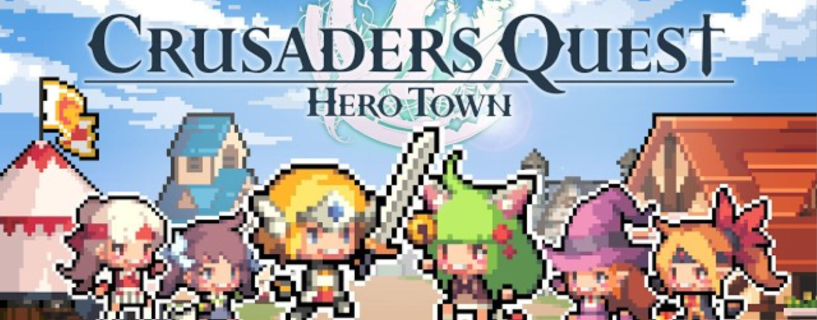
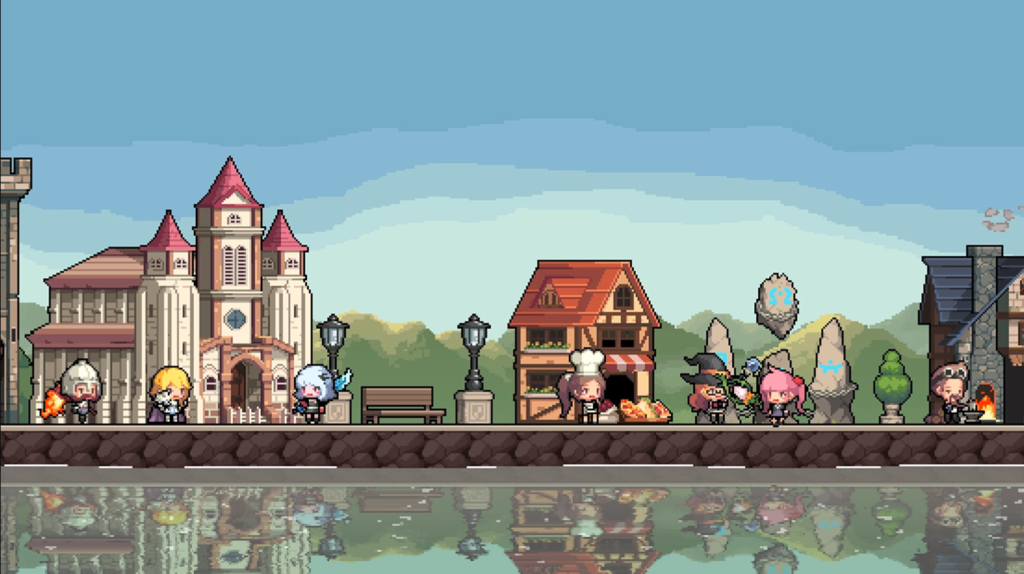
Crusaders Quest Hero Town is a desktop idle RPG developed by CQ Labs and published by LoadComplete. It launched on March 31, 2026 on Steam for Windows and macOS. The game puts a small pixel art town on your desktop where cute heroes gather, fight monsters nearby, and grow stronger over time without you doing much at all.
It pulls from the Crusaders Quest universe and brings that pixel hero style into a completely different format. Instead of active combat stages, you are managing a growing town that runs on its own. The core appeal is that it works as a background experience. You are not expected to sit and play it for two hours straight.
What You Actually Do in Hero Town
Assembling Your Hero Party
You start by picking heroes to populate your town. Each hero fills a role and contributes to how your party performs in combat. The selection matters more than it seems at first because different hero combinations affect your resource income and how fast your town develops.
Early on I picked heroes I recognized from the original Crusaders Quest game, which gave me a head start in understanding their strengths. If you are new to the franchise, the game does a decent job of showing you what each hero does before you commit.
Building and Growing the Town
You construct buildings that support your hero party. Some buildings provide buffs to combat. Others unlock new features or give your heroes a place to rest between fights. The town grows gradually and there is always something new to place or upgrade once you have saved enough resources.
Decorating is optional but the game gives you enough tools to make the town feel personal. The pixel art keeps everything readable even when the town gets busy and full of structures.
Automatic Monster Combat
Heroes patrol the area around the town and fight monsters on their own. You do not control the fights. Combat runs in the background and generates the resources you need to keep building. The variety of monsters increases as your heroes grow stronger, which keeps the resource loop from feeling stale.
Hero Promotion and Skill Tree
Heroes grow through promotion and a dedicated growth skill tree. Promotion makes a hero significantly more powerful but requires materials that take time to accumulate. The skill tree gives you choices to make each time you log in, so there is always a small decision waiting for you rather than just passive watching.
This part of the game rewards patience. Trying to rush promotions early will leave you resource starved. Let the town run, collect what builds up, and promote when you have a comfortable reserve.
Fruit Collection from the Orchard
Orchards around the town produce fruit over time. You collect the fruit and gift it to your heroes. It is a small mechanic that gives you a reason to check back regularly. It does not feel like a forced login timer. It fits naturally into the rhythm of opening the game a few times a day.
PC System Requirements
The game does not need a powerful machine. It is designed to run alongside other applications without slowing your PC down. That said, you still need to meet the basic hardware requirements for a stable experience.
Minimum Specifications
- Operating System: Windows 10 or Windows 11, 64-bit
- Processor: AMD Ryzen 3 1200 or Intel Core i3-6100
- Memory: 8 GB RAM
- Graphics: AMD Radeon RX 460 or NVIDIA GeForce GTX 750
- DirectX: Version 12
- Network: Broadband internet connection
- Storage: 1 GB available space
Recommended Specifications
- Operating System: Windows 10 or Windows 11, 64-bit
- Processor: AMD Ryzen 3 1200 or Intel Core i5-6400
- Memory: 8 GB RAM
- Graphics: AMD Radeon RX 470, Intel Arc A750, or NVIDIA GeForce GTX 1060 with 6 GB VRAM
- DirectX: Version 12
- Network: Broadband internet connection
- Storage: 1 GB available space
macOS is also supported. Visit the Steam store page to confirm the macOS version requirements since those details may be updated after the initial launch window.
How to Download Crusaders Quest Hero Town
- Install the Steam client on your PC if you do not already have it. It is free to download and takes a few minutes to set up.
- Open Steam and log into your account or create a new one.
- Use the search bar to find Crusaders Quest Hero Town.
- Open the game page and click the install button.
- Wait for the download to finish. The file size is around 1 GB so it moves quickly on most connections.
- Launch the game from your Steam library and go through the opening setup to choose your first heroes and start building.
Keep in mind the game needs an active internet connection every time you launch it. If your connection drops, the game will not run.
Full Controller Button Layout Guide
Crusaders Quest Hero Town supports controller input on PC. If you connect an Xbox controller via USB or Bluetooth, Steam Input picks it up automatically. Below is the full button layout for both Xbox controller and keyboard with mouse.
Xbox Controller Layout
| Button | Function |
|---|---|
| Left Stick | Pan the camera across your town |
| Right Stick | Zoom in and out or rotate the town view |
| A Button | Confirm an action, select a hero or building |
| B Button | Cancel or return to the previous screen |
| X Button | Open hero management panel |
| Y Button | Open the building and construction menu |
| Left Bumper (LB) | Cycle left through menu tabs or heroes |
| Right Bumper (RB) | Cycle right through menu tabs or heroes |
| Left Trigger (LT) | Hold to access secondary options for selected item |
| Right Trigger (RT) | Confirm building placement in construction mode |
| D-Pad Up | Open town overview or full map |
| D-Pad Down | Quick access to orchard and fruit collection |
| D-Pad Left | Navigate to the previous building or town object |
| D-Pad Right | Navigate to the next building or town object |
| Start Button | Open settings or the main pause menu |
| Select Button | Open quest log and daily task list |
| Left Stick Click (L3) | Reset the camera to the default town view |
| Right Stick Click (R3) | Toggle hero highlight mode on the town map |
You can remap any of these buttons by going to Steam Settings, then Controller, then Edit Layout. I personally remapped fruit collection to D-Pad Down for faster access during short breaks between tasks.
Keyboard and Mouse Layout
| Key or Input | Function |
|---|---|
| Left Click | Select a hero, building, or interactive object |
| Right Click | Cancel selection or open a context menu |
| Scroll Wheel Up | Zoom into the town |
| Scroll Wheel Down | Zoom out from the town |
| W A S D or Arrow Keys | Pan the camera in any direction |
| E | Open the hero party management screen |
| B | Open the building and construction menu |
| F | Go to the orchard or fruit collection view |
| M | Open the full town map |
| Q | Open the quest log and daily missions |
| Tab | Cycle through heroes in your active party |
| Escape | Close the current menu or open main settings |
| Space | Center the camera on your currently selected hero |
| 1 through 5 | Quick select hero slots in your active party |
| Ctrl and Z | Undo the last building placement |
| R | Rotate a selected building before placing it |
| G | Open the growth skill tree for the selected hero |
Beginner Tips Worth Knowing Before You Start
Get your first two or three buildings placed before you spend resources on anything else. The buildings that boost combat output will speed up your resource income and everything else follows from that.
Do not check the game every five minutes. It is not built for that. Check in once or twice an hour, collect what has gathered, make a decision or two, and close it again. That rhythm fits the game design and it fits working from a desk all day.
Save your promotion materials. Early promotion feels rewarding but it can leave you short when a bigger hero opportunity comes along. Let the stockpile grow for a week and then promote intentionally rather than as soon as materials appear.
When you decorate, think about the buildings you will add later. Leaving room for functional structures matters more than making the town look finished right away. You can always rearrange decorations once the core buildings are in place.
Who This Game Is Built For
People who work from home or spend most of their day at a computer will get the most out of this. The idle format means you are never forced to stop what you are doing. The game rewards you for coming back, not for staying.
Fans of the original Crusaders Quest mobile game will recognize the heroes and enjoy seeing them in a new format. New players do not need any background knowledge to enjoy the town building and idle progression.
If you prefer games that require active input and fast decisions, this will feel too slow. That is an honest assessment. The game is calm by design and that is its main appeal.
Helpful Links
- Steam Store to download the game and track new reviews
- Steam Support for troubleshooting installation or connection issues
- NVIDIA Driver Downloads to keep your GPU drivers current for DirectX 12 support
- AMD Driver Support for Radeon GPU users who need updated graphics drivers
Frequently Asked Questions
What kind of game is Crusaders Quest Hero Town?
It is a desktop idle RPG. You build a small town, recruit pixel art heroes, and let them fight monsters and gather resources automatically while you use your PC for other things.
Is the game free on Steam?
Check the current Steam listing for pricing. The availability and cost may have changed after the March 31, 2026 launch date.
Can you play Crusaders Quest Hero Town offline?
No. A broadband internet connection is required to run the game. It will not launch without an active connection.
Does Hero Town support controller input on PC?
Yes. Xbox controllers connect through Steam Input automatically. You can also configure PlayStation controllers through Steam’s controller settings menu.
How long does it take to download?
The game requires about 1 GB of storage space. On a standard broadband connection it downloads in a few minutes.
Is this connected to the original Crusaders Quest mobile game?
The game is developed by CQ Labs and uses the same pixel hero art style and character roster. It is a separate experience built specifically for desktop as an idle RPG rather than a port or continuation of the mobile game.
What does the growth skill tree do?
The growth skill tree lets you upgrade specific heroes in your town. It gives you active decisions to make when you check in rather than relying entirely on passive progression.
Do I need to play constantly to keep up?
No. The game is built around checking in a few times a day. Resources and fruit collect over time and wait for you. There is no penalty for stepping away for hours.
Can I rearrange my town after I build it?
Yes. Buildings and decorations can be moved and repositioned. The game gives you enough flexibility to reorganize as your town grows and your priorities change.
What happens to my heroes when I close the game?
Progress continues to accumulate while the game is closed. When you reopen it, resources and items will have built up based on how long you were away.