
Mar 30
Gamer Roof
I have been gaming for over twenty years. I have played through Amnesia in the dark with headphones on. I have done Outlast on the hardest setting. I have sat through all of Devotion. I thought I had built up enough of a tolerance that a hand-drawn cartoon horror game about a little girl and a house was not going to get to me.
I was wrong. House 2 genuinely messed with my head and I loved every second of it.
This is not a short overview. I am going to give you everything. The full story context, what makes the game tick, every control on both PC and Xbox laid out in detail, how to download it, the system requirements explained properly, survival tips that actually work, the BarkStation games broken down, how the time loop functions, what the different endings involve without hard spoilers, and a full FAQ section at the bottom. If you are a gamer who wants to go in prepared, this is the guide.
Grab a snack. This one is long.
The Background: What Is House 2 and Where Did It Come From
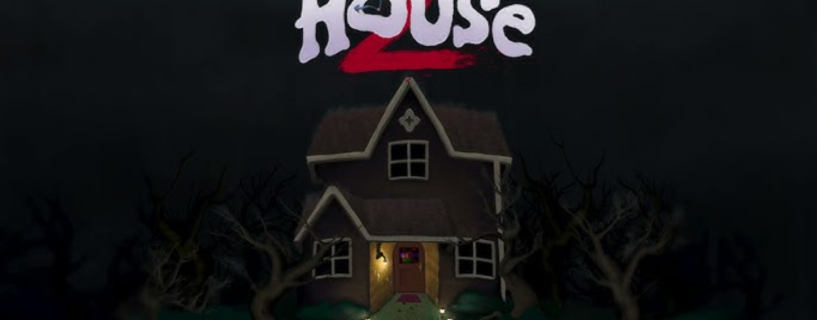
House 2 is developed by Bark Bark Games and published by Glowstick Entertainment. It released in Q1 2026 and is the direct sequel to their 2020 horror game simply called House.
The original House came out during a weird time. It was 2020, everyone was stuck indoors, and this small indie horror game about a house that kills you in increasingly elaborate cartoon ways became a genuine cult hit. It was short, it was brutal, it was funny in the darkest way possible, and it had this art style that looked like a disturbing pop-up book from a nightmare. People loved it. Streamers played it. The community talked about it for months.
Bark Bark Games spent the years after that building the sequel. And unlike a lot of indie sequels that just do the same thing bigger, House 2 actually evolves the concept in meaningful ways. The reactive environment system from the first game is expanded massively. The time loop mechanic is new. The BarkStation is new. The branching narrative with real consequences is new. This is a proper sequel, not a reskin.
The premise: Tabby, the same girl from the original game, is once again trapped in a house during a brutal storm. The curse that plagued her family the first time has not gone away. She is back in it. The house is back. And this time it has had years to get worse.
The genre tags tell you a lot: Horror, Atmospheric, Adventure, Gore, Violent, Indie. Every single one of those is accurate. Do not let the cartoon art style fool you into thinking this is going to be a gentle experience. It is not.
The Art Style: Why Hand-Drawn Cartoon Horror Works Better Than You Think
A lot of people see the promotional screenshots for House 2 and think the art style looks cute or approachable. Then they die for the first time and that impression disappears immediately.
The hand-drawn storybook aesthetic is not just a visual choice. It is a core part of what makes the horror work. When you see something genuinely disturbing rendered in photorealistic graphics, part of your brain files it under the same category as action movies or news footage. You process it with some psychological distance.
When the same level of graphic content appears in a hand-drawn storybook art style, something different happens. Your brain expects safety because it associates that visual language with children’s media. The contrast between the style and the content creates a specific type of unease that is harder to shake. It feels wrong in a way that regular horror does not.
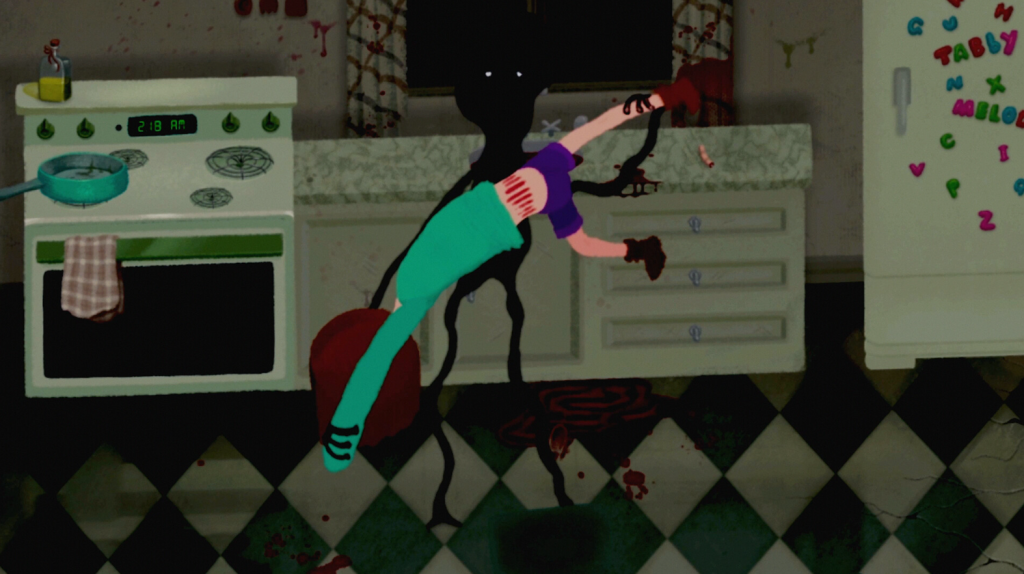
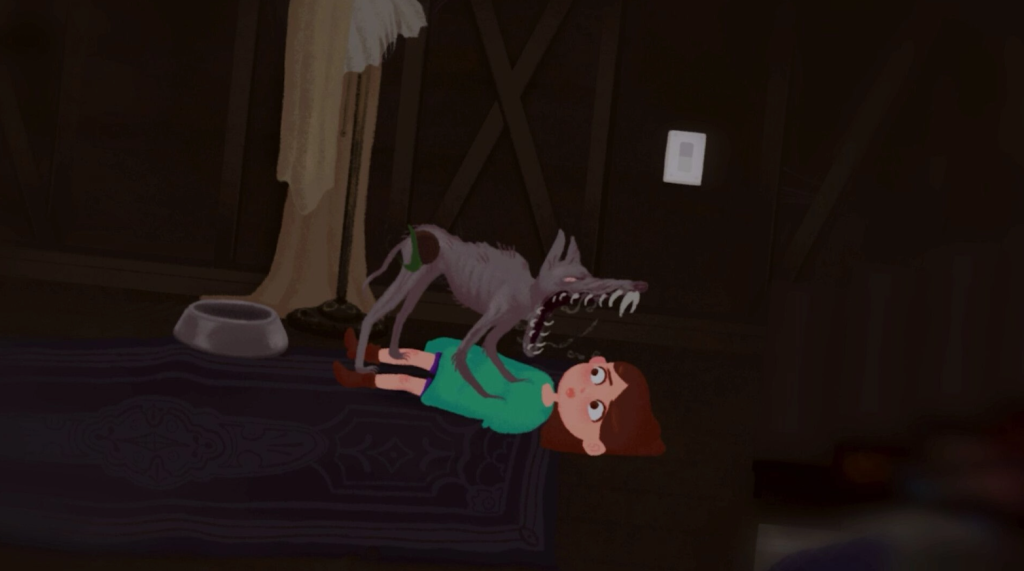
Bark Bark Games clearly understood this when they designed the first game and they doubled down on it for the sequel. The death sequences especially benefit from this. Each one is illustrated with real craft. The animation is deliberate. The staging is specific. These are not placeholder deaths thrown in to punish mistakes. They are fully designed story moments with visual detail that rewards attention.
I have watched some of my own deaths three or four times just to catch details I missed. That is not something that happens in most games.
The art style also ages extremely well. Games that rely on cutting-edge photorealism look dated within a few years. Hand-drawn art does not have the same problem. The original House still looks great in 2026. House 2 will look great in 2030.
Story Deep Dive: The Curse, Tabby, and What the House Actually Is
I am going to discuss the story setup here without spoiling the endings or the major reveals. You deserve to experience those yourself.
Tabby is the protagonist of both games. In the original House she was trapped by the curse as a child and the player navigates her trying to survive a single terrible night. The original ended in a way that left questions open deliberately. House 2 picks up those threads.
The storm in House 2 is not just weather. In both games the storm is connected to the curse in ways the game communicates through environmental details rather than direct exposition. Pay attention to what the storm does and when it intensifies in relation to your actions inside the house.
The family in House 2 is present again and their fates are directly connected to your choices. The game puts you in positions where protecting one family member may compromise another. These are not simple moral puzzles. They are genuinely complicated situations where the right answer depends on information you may or may not have gathered depending on how you have been exploring.
The curse itself is the real story. What is it, where did it come from, who or what is behind it, and can it actually be broken? House 2 gives you more answers than the original did but delivers them in the same way: through discovered notes, environmental storytelling, the BarkStation games, and observing how the house reacts to specific things you do.
The game has what I would describe as a surface narrative and a deep narrative. The surface narrative is Tabby trying to survive and save her family. The deep narrative is about the nature of the curse and requires players to actively seek out lore and piece things together. You can complete the game without fully understanding the deep narrative. But the best endings require it.
The themes are genuinely heavy. The content warning mentions suicide and the game handles it with more care than most. It is woven into the backstory of the house and the curse in a way that adds emotional weight rather than using it as shock material. I want to be clear about that because content warnings can sometimes imply careless handling and that is not what is happening here.
Core Gameplay Systems Explained for Gamers
The Reactive House System
This is the mechanic that defines House 2 and separates it from every other indie horror game you have played. The house is not a static level. It tracks your actions and modifies itself in response to what you do.
Here is how it works in practical terms. Every action you take in the house updates an internal state. When you pick up an item, interact with an object, enter a room, speak to a family member, or trigger a scripted event, the house registers it. Based on that accumulating state, certain changes happen. Rooms shift layout. Doors that were open close. Doors that were closed appear where there was a wall. Items move. The lighting in certain rooms changes. Sounds shift.
The critical thing to understand is that these changes are not random. They are designed responses. The house is not just shuffling itself arbitrarily to confuse you. It is responding to what you did according to an internal logic that you can learn and exploit. Figuring out that logic is how you make real progress.
Early game I kept getting disoriented because I assumed the house changes were random. Once I started treating the house as a system to understand rather than an obstacle to navigate by memory, everything clicked. I started intentionally triggering changes to see what the house would do. That shift in mindset is the key to House 2.
The Time Loop System
Layered on top of the reactive house is a time loop structure. Tabby is operating within a time limit. When the limit expires the loop resets. But resets in House 2 are not like resets in most games.
When the loop resets, certain things change permanently for that playthrough. The house reconfigures itself in ways that reflect what you did during the previous loop. Knowledge carries over. Tabby remembers what happened. Your inventory does not reset completely, though certain items return to their original positions. Specific story states persist.
Think of it less like dying and restarting and more like a Groundhog Day structure where each loop teaches you something and changes the conditions of the next loop. Players who try to brute force their way through the same loop repeatedly will not make progress. The game wants you to learn from each loop and approach the next one differently.
The time limit is tight enough to create pressure but generous enough that if you move with purpose you have enough room to explore thoroughly. Managing your time within a loop is its own skill. Running everywhere creates noise and can trigger threats earlier. Moving efficiently takes practice.
Inventory and Item Management
House 2 has a real inventory system. Items matter. Some items are obviously useful. Others look like clutter until you understand what they connect to. The game has item combinations, meaning certain items work together in ways that open new options.
Inventory space is limited. You will need to make choices about what to carry and what to leave. Items left in the house can be moved by the reactive house system between loops, so do not assume something you left in a specific spot will be there when you come back.
The game does not label items with obvious descriptions. You discover what things do by experimenting. This is deliberate design. If you find something and you do not know what it is for, carry it for a while. Try applying it to things. Try combining it with other items. The answer is usually in the game somewhere.
Stealth and Threat Avoidance
There are threats in House 2. I will not describe them specifically because discovering what they are is part of the experience, but I can tell you how the avoidance mechanics work.
Noise is the primary detection system. Running creates noise. Bumping into furniture creates noise. Certain actions in the house create specific sounds that can draw attention. The sneak mechanic reduces your noise output significantly. Moving at sneak speed with the analog stick tilted lightly rather than fully pushed reduces it further.
Light is secondary detection. The flashlight is useful but using it in certain situations is a trade-off. You see better but you are also more visible. Learning when to use it and when to stay dark is a real skill in House 2.
Hiding spots exist throughout the house. The Hold Breath mechanic is used while hiding to reduce your presence further. It has a time limit. Going past that limit causes an audible gasp that can break a hiding sequence. The timing takes practice. Once you have it down it becomes second nature.
The threats in House 2 follow patterns that you can learn. Like the house changes, their behavior is not random. It responds to the same internal state system. Understanding what provokes them and what calms them is part of understanding the house’s logic overall.
The BarkStation Mini Games
The BarkStation is a fictional game console in the house that plays PS1-style games. There are multiple BarkStation units hidden throughout the house, each with different games loaded on them.
These are not just cosmetic. Each BarkStation game is fully functional with its own mechanics, objectives, and completion states. They range across genres, I have encountered what feels like a platformer, a dungeon crawler type game, and something that plays like an early survival horror title in miniature. Each one is distinct.
The lore value is significant. The games on the BarkStation contain story information about the curse and the history of the house that you cannot get anywhere else. Some of it is embedded in the game narratives themselves. Some of it is in the visual design of the game environments. Pay close attention to what you are playing, not just how to win it.
Beyond lore, some BarkStation games are connected to the reactive house system. Completing them or reaching certain states within them can trigger house changes that you would not see otherwise. This is one of the game’s best hidden systems and most players do not catch it on a first run.
House 2 PC System Requirements: Full Breakdown for Gamers
House 2 is a technically modest game. This is a strength. The hand-drawn art style means the game is not pushing your GPU with complex rendering. Most gaming PCs from the last decade will run this without any problems. But let me break down the requirements properly so you know exactly where you stand.
Minimum Specifications
| Component | Minimum Requirement | What This Means in Practice |
|---|---|---|
| Operating System | Windows 7 64-bit, 8.1, 10, or 11 | Windows 10 or 11 required if using Steam (Steam dropped Win7/8 support in Jan 2024) |
| Processor | 2.0 GHz Dual Core or equivalent | Any dual core CPU from roughly 2010 onward handles this easily |
| RAM | 2 GB | Very low bar. Even old budget laptops clear this. 4 GB or more is comfortable |
| Graphics | NVIDIA since 2006 (GeForce 8), AMD since 2006 (Radeon HD 2000), Intel since 2012 (HD 4000) | Essentially any GPU made in the last 15 years. This game is accessible on very old hardware |
| DirectX | Version 11 | Standard on all Windows 10 and 11 installs. You almost certainly already have this |
| Storage | 2 GB available space | Tiny. Does not matter whether it is HDD or SSD for this game |
| Sound Card | ASIO or WDM compatible | Most standard Windows audio devices are WDM compatible by default. This is rarely a problem |
Recommended Specifications
| Component | Recommended Requirement | What This Means in Practice |
|---|---|---|
| Operating System | Windows 10 or 11 (64-bit) | Run on Win10 or Win11 for full Steam feature support |
| Processor | Intel Core i5-6600K or AMD Ryzen 5 1600 | Mid-range CPUs from 2016 to 2017. Very achievable for most current setups |
| RAM | 4 GB (implied by upgrade from minimum) | 4 GB gives comfortable headroom especially if running Discord or a browser alongside |
| Graphics | Nvidia GeForce GTX 1060 3GB or AMD Radeon RX 580 4GB | Cards from 2016 to 2017. If you have anything released in the last five years you are well above this |
| DirectX | Version 11 | Same as minimum |
| Storage | 2 GB available space | Same as minimum |
| Sound Card | ASIO or WDM compatible | Same as minimum |
Gamer Notes on the Requirements
The specs list shows Windows 7 as a minimum OS but this is slightly misleading for new players. Steam officially dropped support for Windows 7 and Windows 8 starting January 1, 2024. If you are still on an older OS, you need to upgrade to Windows 10 or 11 before the Steam client will even run properly. House 2 lists the older OS versions for completeness but practically speaking you need Windows 10 minimum.
The sound card requirement mentioning ASIO is worth flagging for anyone running a dedicated audio interface like a Focusrite Scarlett or similar. ASIO is an audio protocol used by professional audio equipment. If you have a professional interface as your main audio output, you may need to check your ASIO buffer settings and default playback configuration before launching. Most gaming headset and speaker setups will not have any issue.
The 2 GB storage requirement is genuinely tiny. For context, most AAA games in 2026 require 50 to 150 GB. House 2 is 2 GB total. The hand-drawn art style and 2D nature of the game means no massive texture packs or 4K asset bundles. This also means extremely fast installs even on slower connections.
For streaming or recording House 2, your software (OBS, Streamlabs, etc.) will need more RAM and CPU than the game itself requires. A streaming setup running House 2 should have at least 8 GB RAM and a quad core CPU to keep everything stable. The game will be fine. It is the encoding that needs the headroom.
How to Download House 2 on PC: Complete Step by Step
Step 1: Make Sure Steam Is Installed
House 2 is currently a Steam exclusive PC release. If you do not have Steam, go to store.steampowered.com and download the installer. Run it, follow the setup, and either log into your existing account or create a new one. The Steam client itself is free.
Make sure you are running the current version of Steam. The client updates automatically but if you have not opened it in a while let it update fully before searching for House 2.
Step 2: Find House 2 on Steam
In the Steam search bar at the top right of the client, type House 2. You will see several results. Look for the one by Bark Bark Games and Glowstick Entertainment. The thumbnail uses the hand-drawn storybook art style and should be immediately recognizable if you have seen any promotional material for the game.
Click on the game to open its full store page. Read through the description and screenshots. Check the content warning in the About section. This is not a game you want to launch without knowing what you are getting into.
Step 3: Purchase the Game
Click the green Add to Cart button or Buy Now option depending on the current store page layout. Complete the purchase through Steam’s standard checkout. Steam accepts major credit and debit cards, PayPal, and Steam Wallet balance if you have any credit loaded. The game is reasonably priced for an indie title of this scope.
If you are buying as a gift for another Steam account, use the Gift option at purchase and enter the recipient’s Steam account email.
Step 4: Install the Game
After purchase, go to your Steam Library. Find House 2 in your list, click on it, and hit the Install button. A dialog will ask you which drive to install to. If you have an SSD available, prefer it, though for this particular game the load time difference between SSD and HDD is minimal given the small file size.
The download is 2 GB. On a standard broadband connection this takes two to five minutes. On slower connections give it fifteen to twenty minutes. Steam shows download progress in the bottom bar of the client.
Step 5: Pre-Launch Setup
Before you hit Play for the first time, do these things:
Check your audio output in Windows Settings. Go to System, then Sound, confirm your default output device is what you want to use. For House 2 specifically, headphones are the recommended experience. The sound design is a major part of the horror and you will miss significant audio cues on speakers, especially in a noisy room.
If you plan to use an Xbox controller, connect it now before launching. Via USB is the most reliable connection. Bluetooth works but can occasionally introduce input lag. For a horror game where precise timing matters, wired is better.
Close any applications you do not need running. Not because House 2 needs the resources but because you do not want a Discord notification or browser alert breaking your immersion at a critical moment.
Step 6: First Launch Configuration
When you first launch House 2, the game will open with initial configuration options. These typically include graphics settings, audio settings, and control preferences. For most users the default settings are fine. If you are on a lower-end machine, dropping the resolution slightly or reducing any post-processing effects will help maintain smooth performance.
In the controls menu, review the default bindings for both keyboard and mouse and for controller. The defaults are sensible but everyone has preferences. If you are a gamer who has specific habits from other games, take the five minutes to customize before your first session. Muscle memory from incorrect bindings will cause deaths in House 2 at the worst possible moments.
Full Controller Button Layout Guide for PC and Xbox
This is one of the most useful things I can give you because the in-game control display does not always show context-sensitive actions and does not explain the nuance behind some inputs. Here is the complete breakdown.
Xbox Controller Full Layout
| Input | Primary Action | Context Action | Tips |
|---|---|---|---|
| Left Stick (Move) | Move Tabby in all directions | Tilt lightly for slow movement during stealth | Full tilt while holding LT still makes noise. Tilt to 50 percent for near-silent movement |
| Right Stick (Look) | Camera pan and look direction | Rotate held items during examine mode | Sensitivity adjustable in settings. Lower sensitivity helps during precise examination puzzles |
| A Button | Interact with objects and NPCs | Confirm menu selections | Primary action for everything in the world. Doors, drawers, items, dialogue |
| B Button | Cancel or go back in menus | Drop held item when in inventory screen | Dropping items in the world is done through the inventory screen, not directly |
| X Button | Use selected inventory item | Apply item to highlighted object in world | This is how you combine items with environment objects. Hold X near an object to see if it prompts |
| Y Button | Examine selected item | Triggers detailed examination view | Always examine items when you first pick them up. Hidden details matter in this game |
| Left Bumper (LB) | Cycle inventory selection left | Previous item in quick slot | Quick cycling is faster than opening the full inventory. Learn the order of your items |
| Right Bumper (RB) | Cycle inventory selection right | Next item in quick slot | Same as LB but opposite direction |
| Left Trigger (LT) | Hold to enter sneak mode | Crouch when near low spaces | Hold, do not toggle. Releasing LT immediately returns to normal movement speed and noise level |
| Right Trigger (RT) | Hold to sprint | N/A | Sprint generates significant noise. Use only when you are certain it is safe or you are already detected |
| D-Pad Up | Open full inventory screen | N/A | Pauses the game while open. Take your time in inventory but not too long during tense sequences |
| D-Pad Down | Display time loop countdown | N/A | Shows remaining time in current loop as an overlay without pausing |
| D-Pad Left | Toggle flashlight on and off | N/A | Battery is finite. Do not leave it running when you do not need it. Darkness is often safer anyway |
| D-Pad Right | Open map view | N/A | Only available after finding the map item in the game. Early game this does nothing |
| Menu Button (Start) | Pause menu | Access settings, save, and quit options | Save from here if you want a manual checkpoint outside of autosave points |
| View Button (Back/Select) | Open Tabby’s journal | Review collected notes and clues | Read this regularly. New entries appear automatically when you discover relevant things |
| Left Stick Click (L3) | Hold breath during hiding | Reduce detection while stationary | Watch the breath meter. Release before it maxes out or Tabby gasps audibly |
| Right Stick Click (R3) | Reset camera to default | Snap behind Tabby after examining | Useful after examination sequences where the camera has shifted |
Xbox Controller Advanced Technique: Two Input Combinations
House 2 has a few combined inputs that the game does not prominently advertise. These are discovered by players through experimentation and the game’s journal hints.
LT plus A: While sneaking (holding LT) and pressing A on certain objects performs a quieter interaction. Standard A presses on things like drawers make a small sound. LT plus A reduces that sound. Essential for certain stealth sections.
RB held plus Left Stick: Holding RB while moving causes Tabby to keep her currently selected item raised and ready. This speeds up the time to use an item if you encounter a situation that requires it quickly. The trade-off is that it slightly reduces your movement speed.
LB plus RB simultaneously: Opens a quick reference overlay showing your current loop objectives and discovered clues without going into the full journal. This is useful for a fast reminder without fully stopping.
PC Keyboard and Mouse Full Layout
| Input | Primary Action | Context Action | Tips |
|---|---|---|---|
| W Key | Move forward | N/A | Standard WASD. Hold Shift to sprint, hold Ctrl to sneak |
| A Key | Move left / strafe left | N/A | N/A |
| S Key | Move backward | N/A | Moving backward is slower than forward. Do not backpedal from threats if you can turn and run |
| D Key | Move right / strafe right | N/A | N/A |
| Mouse Move | Camera look direction | Rotate items in examine mode | Use a moderate mouse sensitivity. Too high and you overshoot. Too low and you are slow in emergencies |
| Left Mouse Button | Interact with world objects | Confirm in menus | Click on highlighted objects in the environment to trigger interaction |
| Right Mouse Button | Examine held item | Cancel in menus | Right click opens the examine view for whatever item you currently have selected |
| E Key | Use item on environment | Apply selected item to nearby object | Stand near the object you want to use an item on and press E |
| Q Key | Drop current item | N/A | Items dropped in the world can be moved by the house system between loops |
| Scroll Wheel Up | Cycle inventory right | N/A | Scroll through your inventory items without opening the full screen |
| Scroll Wheel Down | Cycle inventory left | N/A | N/A |
| Left Shift | Hold to sprint | N/A | Same noise trade-off as controller sprint. Use with care |
| Left Ctrl | Hold to sneak | Toggle option in settings | Default is hold. You can switch to toggle in settings if you prefer that playstyle |
| Tab Key | Open full inventory | N/A | Pauses game while open |
| F Key | Toggle flashlight | N/A | Same battery considerations as controller version |
| M Key | Open map | N/A | Only works once the map item is found in-game |
| J Key | Open journal and notes | N/A | Check this often. New entries trigger without notification |
| T Key | Show time loop countdown | N/A | Non-pausing overlay. Quick check without disrupting gameplay |
| C Key | Hold breath during hiding | N/A | Same breath meter rules as controller. Release before maxing |
| R Key | Hold item raised and ready | N/A | PC equivalent of RB hold on controller. Keeps item at ready for faster use |
| Escape Key | Pause menu | Back / cancel in submenus | Access save, settings, and quit from here |
| F5 Key | Quick save | N/A | Available at most points in the game outside of scripted sequences |
| F9 Key | Quick load | N/A | Loads the most recent F5 save |
| G Key | Quick LB plus RB overlay | Loop objective quick reference | Same as simultaneous LB plus RB on controller. Fast reminder without full journal open |
PC Advanced Technique: Silent Interaction
The PC equivalent of the LT plus A controller input for silent interaction is Left Ctrl plus Left Mouse Button. Hold sneak mode and then click to interact with an object for a significantly quieter interaction sound. This is particularly useful with drawers, doors, and cupboards in rooms where noise is dangerous.
Recommended Mouse Settings for House 2
House 2 is a slower, more deliberate game than an action title. You do not need high sensitivity. I personally play at around 800 DPI with in-game sensitivity around 40 percent. This gives precise control during examination sequences without being sluggish during navigation. Your preference will vary but if you are coming from an FPS game remember to dial the sensitivity back.
Raw input is available in the settings. Turn it on. It removes Windows mouse acceleration and gives you more consistent feel across all movement speeds.
The BarkStation Games: Full Breakdown
The BarkStation is one of my favorite things in House 2 and I want to give it the attention it deserves because most guides gloss over it.
The BarkStation units are scattered through the house. Finding all of them is a task in itself because the reactive house system means their locations can change between loops. Certain units are always in specific rooms but others move or become accessible only after particular house states are triggered.
Each BarkStation plays differently and contains different content. Here is what to look for and why it matters without spoiling the specific plot details embedded in the games.
The genre variety is real. Bark Bark Games did not make five versions of the same game slapped onto different cartridges. The BarkStation games span different genres and different control schemes. Some use standard directional movement. One operates on a puzzle logic that is unlike anything else in the game. One is genuinely difficult in its own right and took me multiple attempts to complete independently of any house threat.
Completion matters. Completing certain BarkStation games changes the state of the house in specific ways. I discovered this accidentally when I finished one game and immediately noticed a door that had been locked for two entire loops was now open. The connection between BarkStation completion and house state is one of the game’s most rewarding hidden systems.
The lore is layered. Surface level the BarkStation games appear to be fictional games that exist within the game’s world. Dig deeper and the themes, character designs, and narrative beats of each mini game map onto aspects of the curse’s history. Somebody put a lot of thought into these. They reward players who pay attention to what they are playing rather than rushing to complete and move on.
There is a hidden BarkStation. I will say that much. It is not in an obvious location and finding it requires understanding the reactive house logic to a degree that most players only reach on a second or third run. The game on this unit is different from all the others in a way I will not describe. Finding it yourself is worth it.
Endings Guide: What Exists Without Spoiling How to Get There
House 2 has multiple endings. Based on my playthroughs and community discussion I am aware of at least four distinct endings, though some players report variations within those that suggest the actual number is higher depending on how you count branching states.
Here is what I can tell you about the ending categories without telling you how to reach them:
The Escape Ending: Tabby gets out. The house does not stop existing but she leaves. The specific state of her family when this happens varies and that variation significantly changes how the ending feels emotionally. Getting out is not automatically a good ending.
The Breaking Ending: The curse is addressed at its source rather than just escaped. This is the hardest ending to reach because it requires understanding the deep narrative of the house and taking specific actions across multiple loops that most players do not know to attempt. This ending has the most satisfying conclusion for players who engaged fully with the lore.
The Succumb Ending: Tabby does not make it. Not because of a death sequence but because the loop runs out of time one too many times or because certain choices compound in a way that closes off escape routes. The game does not feel like a failure state here. It feels like a conclusion of a different kind.
The Family Ending: Achieving specific outcomes for each family member creates a state where the ending reflects those choices directly. There are variations within this based on who you saved and who you did not or could not. This is the most emotionally variable ending cluster because the family situations are different for every player depending on their choices.
Reaching the Breaking Ending requires at minimum three to four loops of deliberate play with specific goals in mind. It is the game’s true ending in the sense that it most fully resolves the narrative. But it is not necessarily the emotionally correct ending for every player. The game respects that.
Survival Tips from Someone Who Died a Lot
I am going to be honest: I died constantly in House 2, especially in the first two or three loops of my initial run. These tips come from actual failure rather than theoretical strategy.
Stop treating noise like a secondary concern. In most horror games noise matters somewhat. In House 2 it is the primary threat detection system and it is sensitive. I lost count of how many runs ended because I ran through a room I thought was safe. Slow down. Walk. Use sneak mode more than you think you need to.
Examine every single item when you first pick it up. The examine function on Y (Xbox) or Right Mouse Button (PC) is not just cosmetic. Items in House 2 often have markings, text, symbols, or visual details that contain puzzle information. I missed a critical clue for two full loops because I never examined an item I had been carrying the whole time.
Talk to your family every loop. The dialogue changes. Family members say different things depending on the loop count, what you have done, and what state the house is in. These conversations contain clues, emotional context for the endings, and sometimes direct information about what the house wants or fears. Do not skip them.
The map is worth finding as your first priority. Before you do anything complicated in a fresh run, find the map. It makes navigating the reactive house dramatically more manageable and helps you notice when rooms have shifted because you have a visual reference for what they are supposed to look like.
Manage your flashlight battery like it is precious. Because it is. There are points in House 2 where you need light and if your battery is empty you are in serious trouble. Turn it off when you are in lit areas. Turn it off when you are hiding. Reserve it for genuinely dark spaces where you need to see something specific.
Write things down outside the game. I know this sounds old-fashioned but keep a notepad open. House 2 has enough moving parts across multiple loops that your in-game journal, while helpful, does not always surface information in the order you need it. Writing down what you noticed, what changed, and what you have not figured out yet will save you enormous time in later loops.
The house changes are not punishments. Early game I approached every room change with frustration. It took me a while to realize that every change is information. If a door closed after I did something specific, that tells me that action and that door are connected. The changes are the game communicating with you. Learn to read them as messages rather than obstacles.
Do not sprint toward the end of a loop. The instinct when the countdown gets low is to panic and run. Running generates noise, which can trigger threats, which ends the loop earlier than running out of time would have. A calm loop that ends naturally from time teaches you more than a panicked sprint that ends in a death sequence.
The death sequences are worth watching completely. Every time Tabby dies in House 2 the death animation plays out fully. It is tempting to mash a button to skip it, especially when you are frustrated. Do not. The death sequences are elaborately illustrated and they frequently contain visual information about what caused the death, where the threat came from, and sometimes hints about how to avoid the same situation. These are designed scenes, not loading screens.
Who Made House 2 and What Is Their Track Record
Bark Bark Games is a small independent developer. The original House was their breakout title and it demonstrated a very specific creative vision: horror that uses art style as a weapon, death as a gameplay teacher, and player choice as a genuine narrative mechanism rather than an illusion of one.
The years between House and House 2 were not wasted. You can see the craft development in the sequel. The reactive environment in the original was impressive for an indie title. In House 2 it is sophisticated enough that discovering its logic is a core part of the experience. The BarkStation mini games represent a level of game-within-a-game content that most solo or duo developers simply do not attempt. The multiple endings feel genuinely earned rather than surface-level variations on the same conclusion.
Glowstick Entertainment as publisher gave the game a proper release push without apparently compromising the creative direction. House 2 does not feel like a game that was pulled toward commercial conventions. It still feels like Bark Bark Games made exactly the game they wanted to make.
For context on the indie horror landscape that produced this game, the Independent Games Festival (IGF) is a good resource for understanding the broader ecosystem of indie games that influenced and exist alongside House 2. And if you want a deeper understanding of how small studios approach horror game design, Game Developer Magazine has covered horror game development from an industry perspective for years.
Frequently Asked Questions About House 2
What kind of game is House 2 exactly?
House 2 is a horror adventure game with inventory management, puzzle elements, stealth mechanics, and a narrative driven by player choices. It is not a pure survival horror game, not a walking simulator, and not a simple runner. The closest comparisons are early Resident Evil in terms of inventory and puzzle logic, mixed with something like Undertale in terms of how your choices shape the narrative and endings, but the execution and art style are completely unique to Bark Bark Games.
Is House 2 scary or is it just gross?
Both, but the scary and the gross serve different purposes. The graphic content during death sequences is designed to make death feel meaningful and memorable rather than just a slap on the wrist. The actual horror of the game is psychological and environmental, not gore-based. The house changing around you, the sounds you cannot explain, the uncertainty about what the house will do next, that is where the real fear lives. You can experience the full psychological horror of House 2 without fixating on the death animations.
How does the time loop connect to the multiple endings?
The number of loops you experience, the choices you make within each loop, and the information you gather across loops all feed into which endings become available to you. Certain endings require you to have discovered specific lore pieces that may not be accessible until later loops when the house has changed in ways that open new areas. The loop system and the ending system are fundamentally connected. Understanding the loops is not just about survival, it is about accumulating the understanding needed to reach the endings that require deeper knowledge of the curse.
Can I play House 2 without a controller?
Yes. Keyboard and mouse is a fully supported and functional control scheme. Some players prefer it for the precision it offers during examination sequences. Others prefer the controller for the analog stick movement during navigation. Both work well and the game is fully remappable either way.
Does House 2 support Steam Deck?
The game’s modest system requirements suggest it should run on Steam Deck hardware, which exceeds the minimum and recommended specs. However, official Steam Deck verification status should be checked on the game’s Steam page as this can change with patches and updates. The 2 GB size makes it an excellent candidate for portable play.
How does the house know what I did?
The reactive environment system tracks a wide range of player actions through an internal state variable that updates throughout your session. The specific implementation details are not publicly documented by the developers but the general behavior is that significant interactions update the state and the house configuration responds to that state in designed ways. It is not random generation. Every change you observe is a scripted response to something you did.
Are there missable items or is everything available across loops?
Most items recycle across loops in some form, though their positions can shift with house changes. Some items are loop-specific, meaning they are only available during certain house states that occur in specific loop windows. The map item in particular has a window during which it is reachable that closes if you trigger certain house changes before finding it. This is one of the reasons finding the map early is so important.
Is the original House required to understand House 2?
The sequel introduces its premise and characters sufficiently that new players can follow the story. However, the original House is short, cheap, and genuinely excellent. Playing it first adds emotional layers to House 2 that significantly improve the experience. Several moments in House 2 hit much harder if you know what happened in the first game. I strongly recommend playing the original first even though it is not technically required.
What happens to your progress between loops?
Knowledge carries over completely. Tabby remembers events, discovered lore is retained in the journal, and your understanding of the house’s patterns accumulates. Inventory partially resets depending on which items are loop-persistent and which are not. The house configuration changes each loop based on the accumulated state from your previous actions. Story progress does not fully reset. You move forward even when the loop resets.
Are there any difficulty settings?
House 2 does not have traditional difficulty settings in the sense of changing enemy damage or resource availability. The game has accessibility options that can be toggled in settings, including options for players who are sensitive to certain types of content. The core challenge of the game, understanding the reactive house and the time loop, cannot be reduced through settings because it is the fundamental game structure rather than a tunable parameter.
How many BarkStation games are there?
There are multiple BarkStation units with different games in the house. The exact count is something players are still mapping as of early 2026 given the reactive environment making some units harder to find consistently. Community resources are developing guides on BarkStation locations. The hidden unit I mentioned in the BarkStation section above is the most difficult to find and is not yet widely documented in detail.
Can I save my entire family?
Saving all family members is possible but requires specific knowledge about each family member’s situation, the choices you make throughout the game, and understanding of how the house’s curse affects each of them differently. It is not achievable on a first run for most players. The information needed to save everyone is spread across multiple loops and requires actively pursuing the deep narrative through lore discovery and BarkStation engagement.
Is House 2 appropriate for someone who does not normally play horror games?
It depends entirely on why you do not normally play horror. If you avoid horror because of jump scares, House 2 is relatively mild on that front and relies more on atmosphere. If you avoid it because of graphic violence or disturbing imagery, the death sequences and cartoon gore may be too much even with the stylized art. Read the content warnings carefully. There is no shame in deciding it is not for you based on what the developers themselves describe in the mature content section.
Will House 2 come to consoles?
As of Q1 2026 no console version has been officially announced. PC through Steam is the only confirmed platform. For Xbox players who want to play it, running it through a PC with an Xbox controller connected is currently the way to go. Follow Bark Bark Games and Glowstick Entertainment on their official channels for any future platform announcements.
Does the game have mod support?
No official mod support has been announced for House 2. Some community modding efforts may emerge through platforms like Nexus Mods depending on the game’s technical structure, but this is not officially supported by the developers as of this article’s publication.
What should I do if the game crashes or has audio issues?
For audio issues specifically, check your Windows default playback device first and confirm it supports WDM audio. If you are running an ASIO interface, set your computer’s default audio output to a standard device rather than the interface for gaming. For crashes, verify the game files through Steam by right-clicking House 2 in your library, selecting Properties, going to Local Files, and clicking Verify Integrity of Game Files. This resolves most common launch issues. For persistent problems, the Steam Community discussion boards for House 2 are the best place to find player-reported solutions.
House 2 is published by Glowstick Entertainment and developed by Bark Bark Games. All gameplay experiences described in this article are from personal playthroughs on PC. Details about unreleased features or future updates were not available at time of writing. Check the official Steam page for the most current information on patches and platform availability.